Find out where to recycle, refill, repair and more!
Are you facing difficulties in locating places to shop package-free, repair items, shop secondhand, and more?
Access all zero waste resources at your fingertips and find nearest zero waste solutions to you, all across Malaysia. If you need assistance, please refer to the usage guide below the map.
Total map view : 713,332 views
Explore the Map 👇



Instructions Guide
Step 1: Location Services
If you have location services turned on, it will automatically pin to your location. Pins will load as you zoom out and proceed to interact with the map. If your location services are off, you are automatically starting off in Selangor!
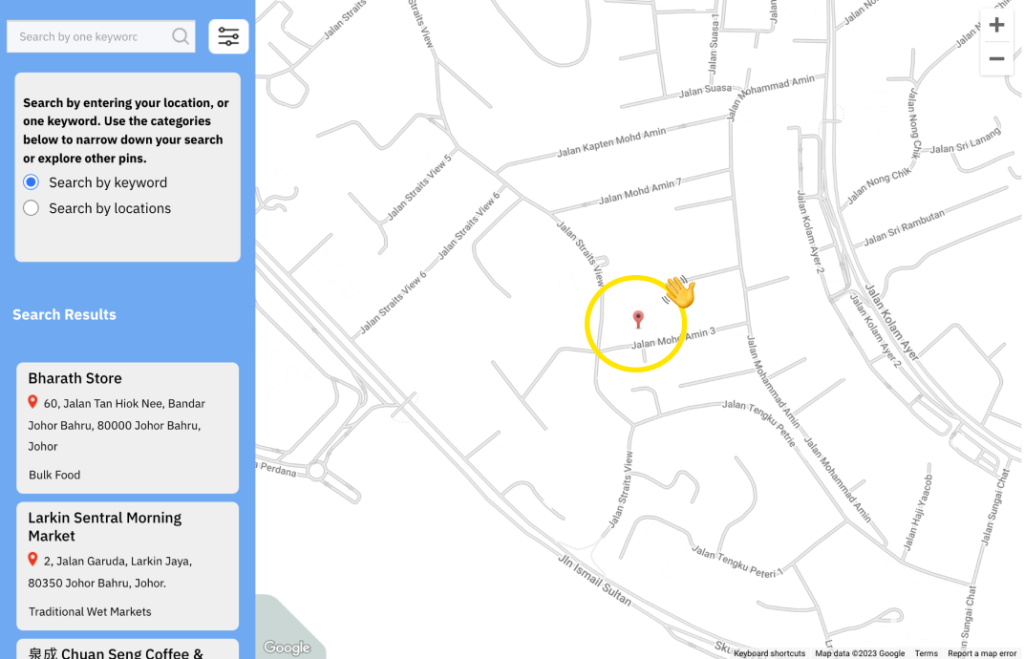
Step 2: Search by Keyword
Type in one keyword to search for specific items/stores. Results are shown on the left ‘Search Results’. You may have to zoom out to see them on the Map, or click into any of them to bring you to that location.
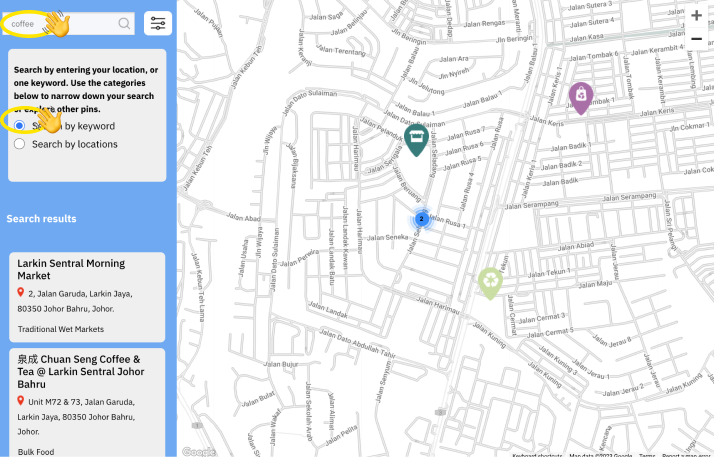
Step 3: Or Filter Categories
You can also toggle with the filter button on the top right to search by categories. Click filter to load checked boxes. You may enter another keyword again for items within those selected categories.
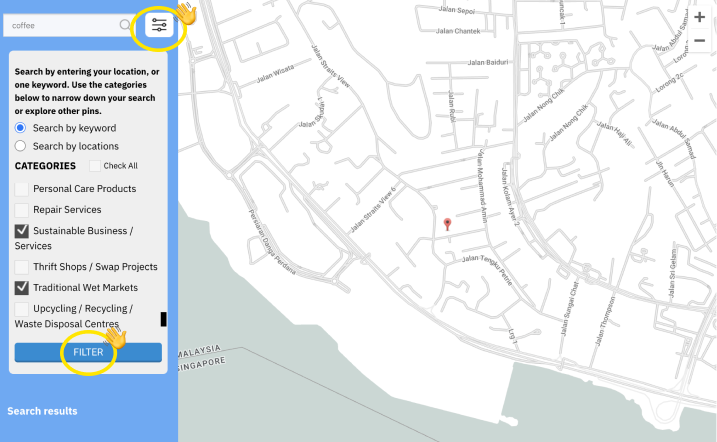
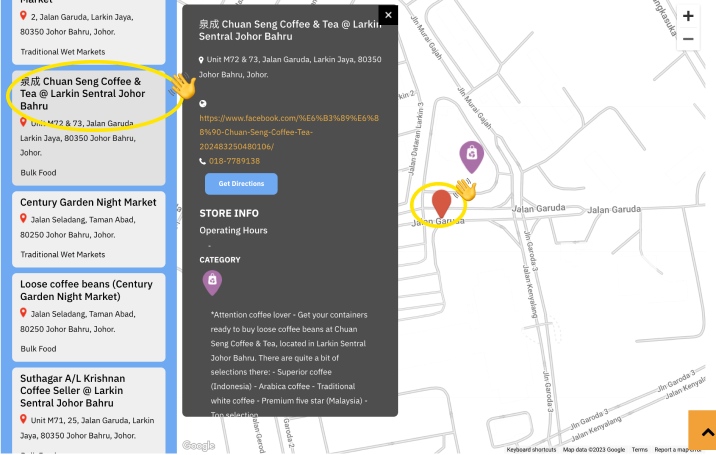
Step 4: Locating Stores
Scroll through the ‘Search Results’ and click into any pin to read more about what they offer & where they are located. Zoom in to see the red pin – this marks the place where they are located!
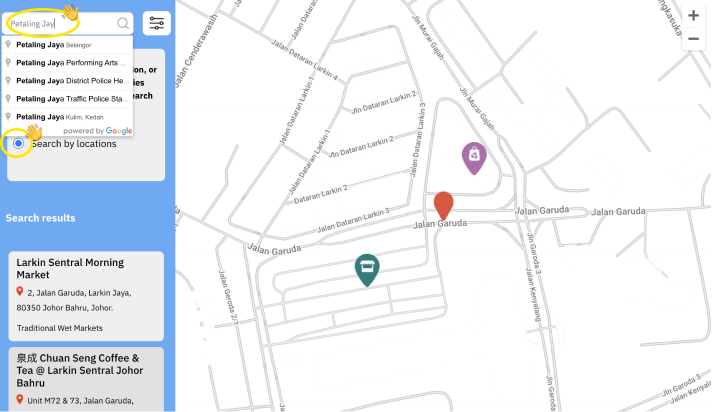
Step 5: Search by location
If you’re looking to explore pins in another location, simply key in the address of landmark and toggle to the “Search by Location” button.
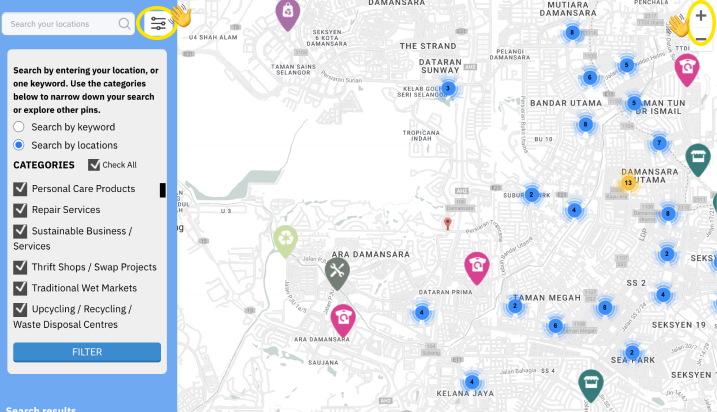
Step 6: Narrow your search
Repeat Steps 1 & 2 to look around your new location. As a start, you may select categories, click filter and zoom out to see the pins nearest to your selected location. This may take some time to load as you zoom out further.
Don’t know what to recycle or which bin it goes into?
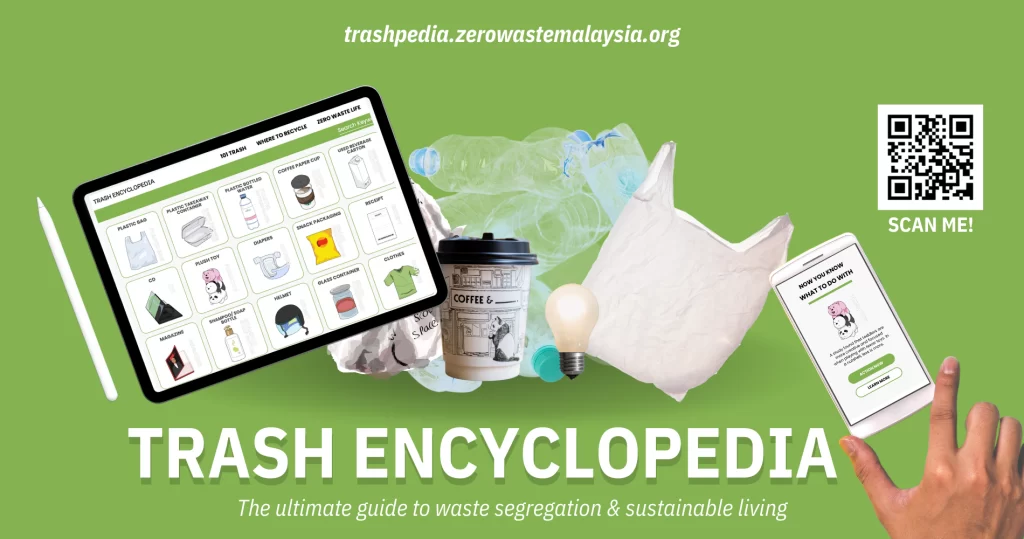
Check out the Trash Encyclopedia, with 101 common household items. Available in ENG, Mandarin, BM & Tamil.